
The VBOX Test Suite software contains a Maths Channel facility. Use this to calculate the Derivative/ Rate Of Change of a VBOX channel (the rate at which the selected channel is changing at every sample).
It is calculated using the following formula:
Value in present sample - Value in previous sample
Time difference between both samples
To set up a channel with a Rate of Change function, please follow the instructions below:
- Open the required in VBOX Test Suite, or if you are intending to view live VBOX data, ensure that the software is set to Online Mode.
- Go to Test Setup → Maths Channel on the Ribbon.
This will open the Maths Channel dialogue.
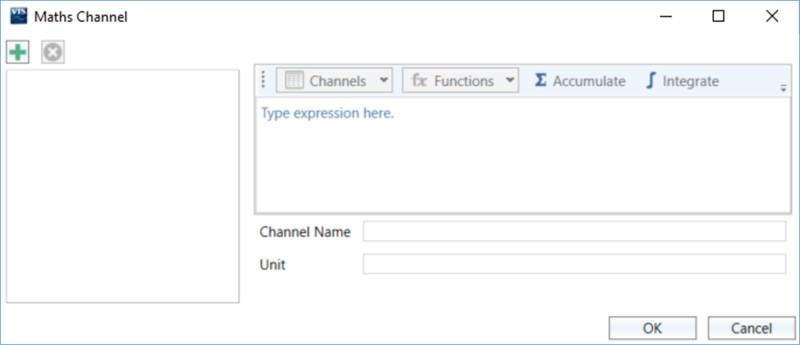
- Click the Add button (+) in the top left of the window to add a new Maths Channel.
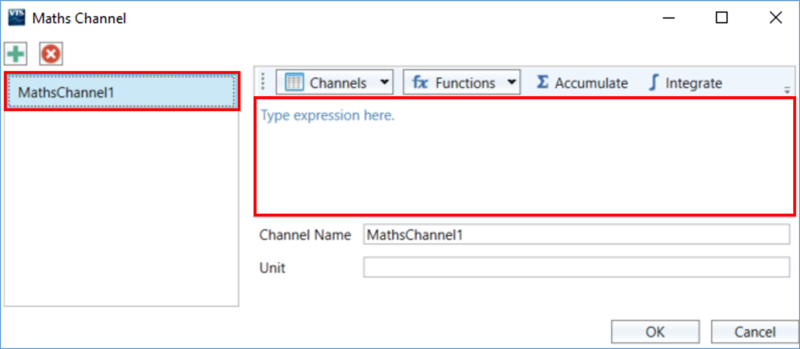
- Select the new channel from the list of channels on the left side of the window, and click in the equation editor box on the right side of the window to start creating the maths channel.
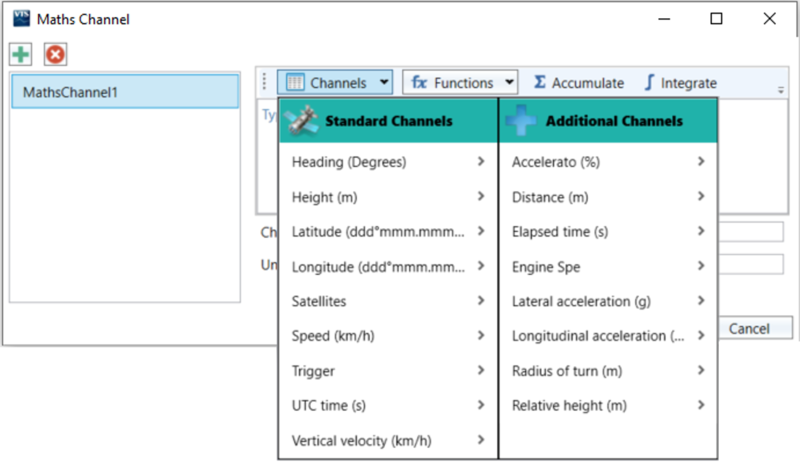
- Click the Channels dropdown menu to open the list of channels.
Standard channels are GPS channels captured by default (can always be accessed), and the additional channels are any configured CAN channels or existing Maths Channels.
- To apply the Rate of Change function, hover over the arrow > next to the desired channel and select Rate of Change from the pop-up.
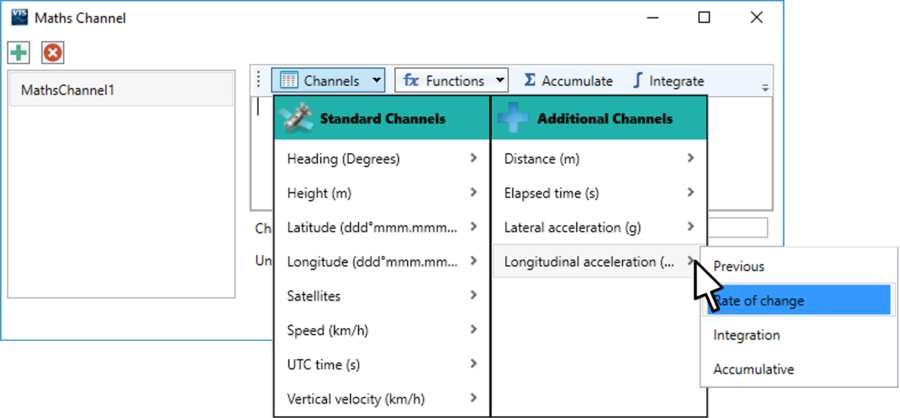
- The channel will now be added to the expression editor area with Rate of Change applied.
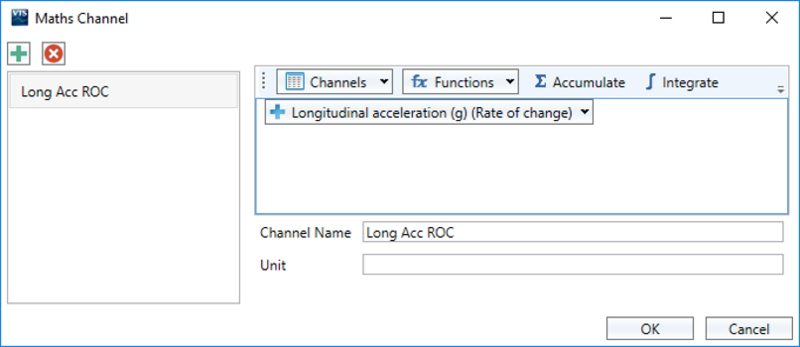
- Enter a name for the Maths channel and click OK to save the changes.
- The new channel is now available for use and can be added as a channel in the software.
For example, as a Gauge on the Dashboard, as a Channel in a Test Configuration, as a Column in Test Results or as an Axis on the Chart. - If you export the data as a .vbo file, the configured maths channel will be included in the file.