
A radio picks up the RS232 data from a VBOX unit via an RF link and transmits it to a remote computer running the supplied VBOX Test Suite software to show live VBOX data.
See the protocol of the VBOX RS232 signal is described here to use this data.
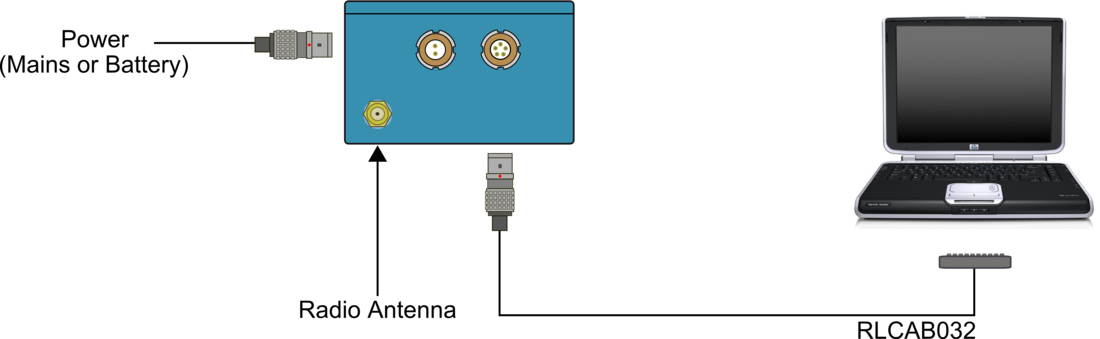
A radio can be used with VBOX telemetry in two ways. The first way is as a radio transmitter for sending VBOX telemetry data to another radio module that is connected to a PC. The second way is as a radio receiver that receives DGPS correction data from a Racelogic Base Station.
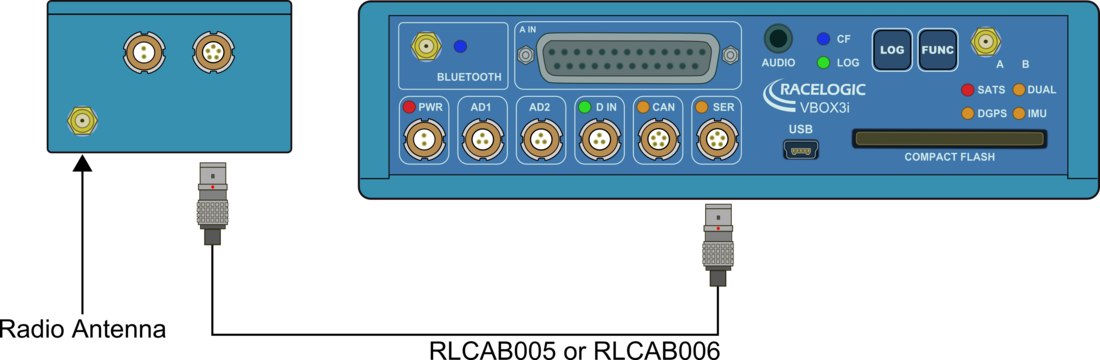
The VBOX transmits serial data from the socket marked SERIAL or RS232 through a server radio to a client radio connected to the PC.
You only need one connection as the power for the radio is taken from the VBOX via a 5-way Lemo to 5-way Lemo cable.
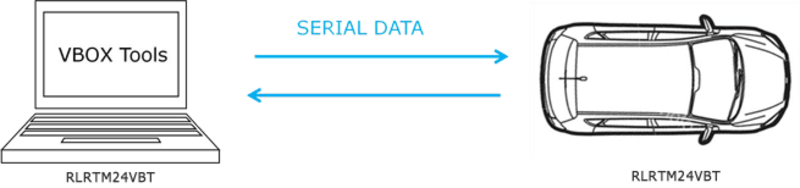
A pair of radios (RLRTM24VBT) allows a VBOX unit to communicate with a laptop that is running VBOX Test Suite. The communication can be bi-directional, so the laptop will be able to change the VBOX units configuration as well as receive live data.
NOTE
The radio can only transmit the 8 default GPS channels and up to 2 CAN channels when operating at the maximum rate of 100 Hz. You can increase the number of channels by reducing the serial output rate.
The telemetry module can only transmit the eight default GPS channels and up to 2 CAN channels when operating at 20 Hz. You can increase the number of channels by reducing the serial output rate.