
When VBOX Speed Sensor with RTK is used in conjunction with a local DGPS RTK enabled Basestation, the positional accuracy will be improved to 2 cm.
The RLVBBS4RG Basestation uses a RTCMv3 RTK 2 cm correction type. It is a globally recognised message format type and is more resilient to data loss caused by radio errors than other types.
The Speed Sensor must have the correct mode enabled via VBOX Setup before it is capable of receiving and using the DGPS RTK correction information transmitted by a Local Basestation.
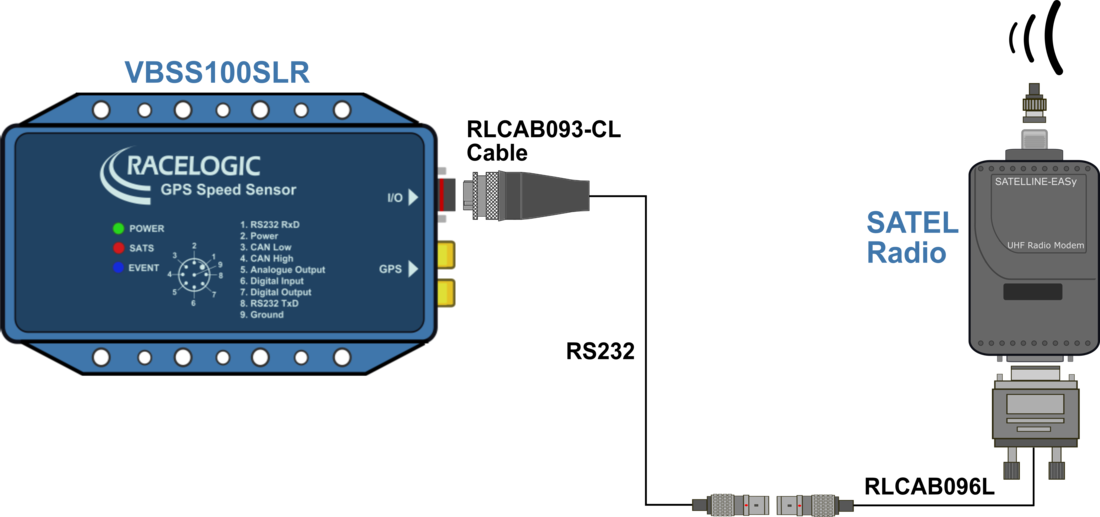
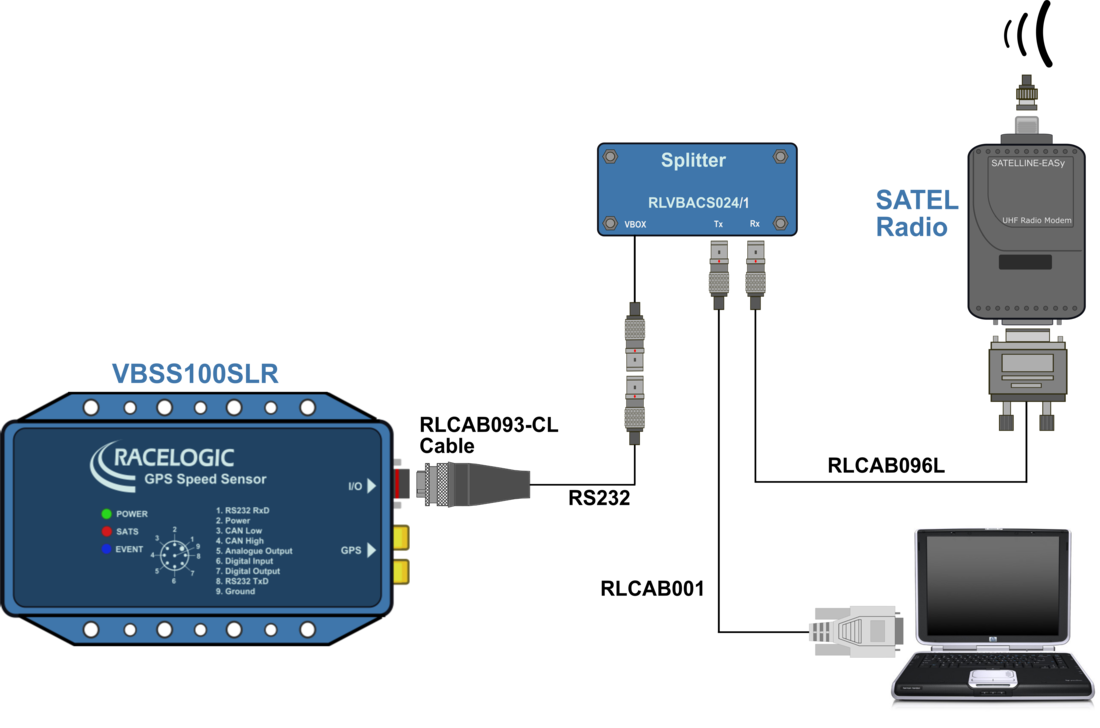
Note: VBSS100SLR should be disconnected from the radio when configuring via the software.
Please ensure that CAN delay is DISABLED!
RTK configuration of VBOX Speed Sensor with RTK can be performed using VBOX Setup software:
- Use the drop down list to select the correct COM port that the Speed Sensor is connected to.
- Click the 'Connect' button to enter VBOX Speed Sensor with RTK setup screen.
Note: An auto detect message may appear if the baud rate has been changed from the default value – select ‘Yes’ to allow the different baud rates to be scanned.
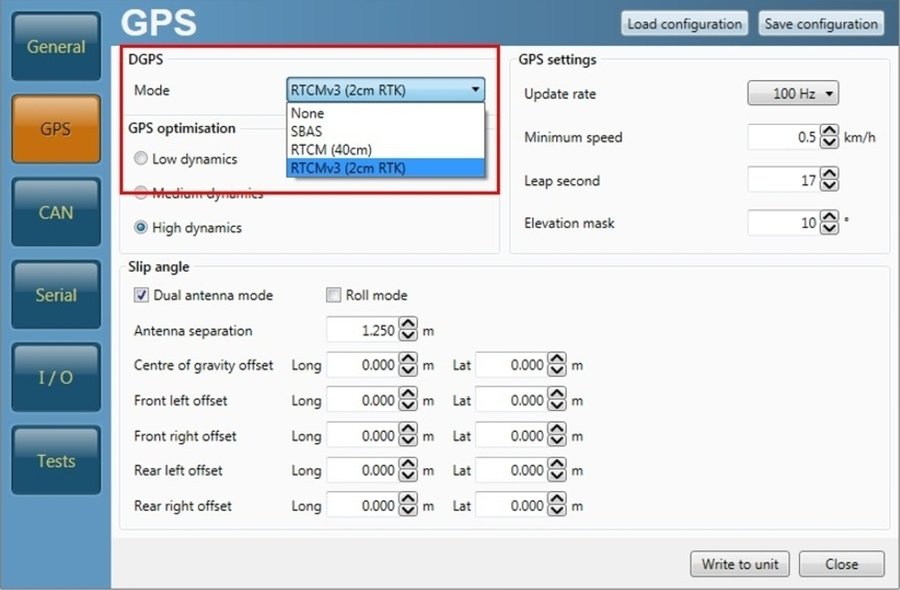
- Select the 'GPS' menu and click the arrow next to 'Mode' within the 'DGPS' heading. Select 'RTCMv3 (2cm RTK)' from the dropdown menu.
- Select the 'Serial' menu and click on 'NMEA' within 'Mode'.
Note: 'NMEA messages' options are now presented.
- Within 'Baud rate', select the appropriate telemetry radio data rate of the radio that is physically connected to VBOX Speed Sensor with RTK.
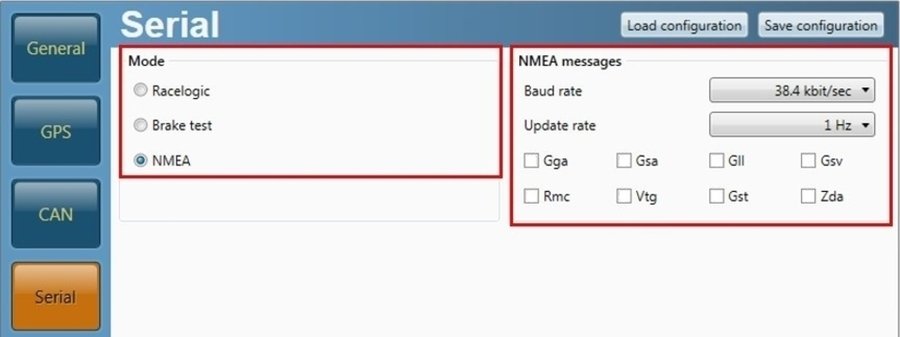
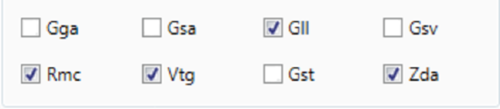
- If NMEA output is enabled and you wish to transmit NMEA data, select the required message channels. Ensure all NMEA messages are turned off if NMEA output is disabled.
The CAN DBC file can be downloaded here.
For more information on VBSS100SLR CAN output please click here.