
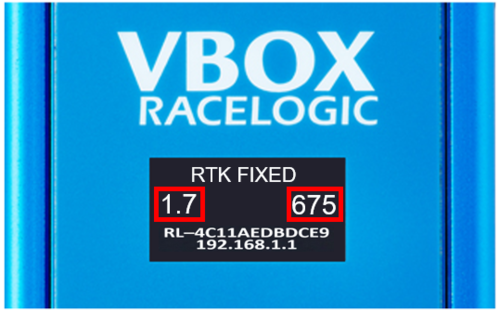
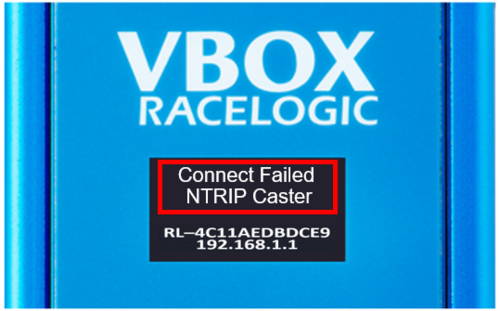
If this should occur, please consider the following:
- Ensure the antenna is securely attached to the NTRIP Modem.
- Make sure that the unit is connected to the internet either via the internal GSM modem or an external Wi-Fi hotspot.
- If using the internal 4G modem with a SIM card, ensure that you haven't exceeded your data allowance.
- Ensure that you have an active subscription with your NTRIP provider.
If the NTRIP Modem is not being automatically detected or selectable as a COM port by the Racelogic Upgrader Software during a Firmware Upgrade, it may be the case that the NTRIP Modem USB Driver has not been installed. Download and install the driver from the VBOX Automotive Website and try the process again.
If the USB driver is installed, however you are still having issues updating the NTRIP Modem with a PC, please contact Racelogic Support.
If you are using an external Wi-Fi hotspot to connect to the NTRIP server and there is a loss in connection to the hotspot during operation, the Wi-Fi Name will change to 'Not Connected', the IP Address will change to '0.0.0.0' and the GNSS Status will display 'NO GNSS DATA'. If connection has been lost, the modem will keep attempting to connect to the hotspot.
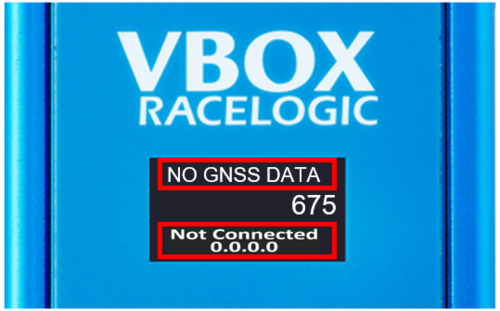
If the Wi-Fi connection is not regained, you will need to power cycle the NTRIP Modem and then either fix the existing external Wi-Fi hotspot connection issue or configure the unit to connect to a different hotspot.