
In the CAN menu in VBOX Setup, connected to a VBOX 3iS Single Antenna (v1), you can configure the CAN input and output settings and select transmitted identifiers.
Configure the CAN input/output baud rates and termination and export the channel information as a .dbc file.
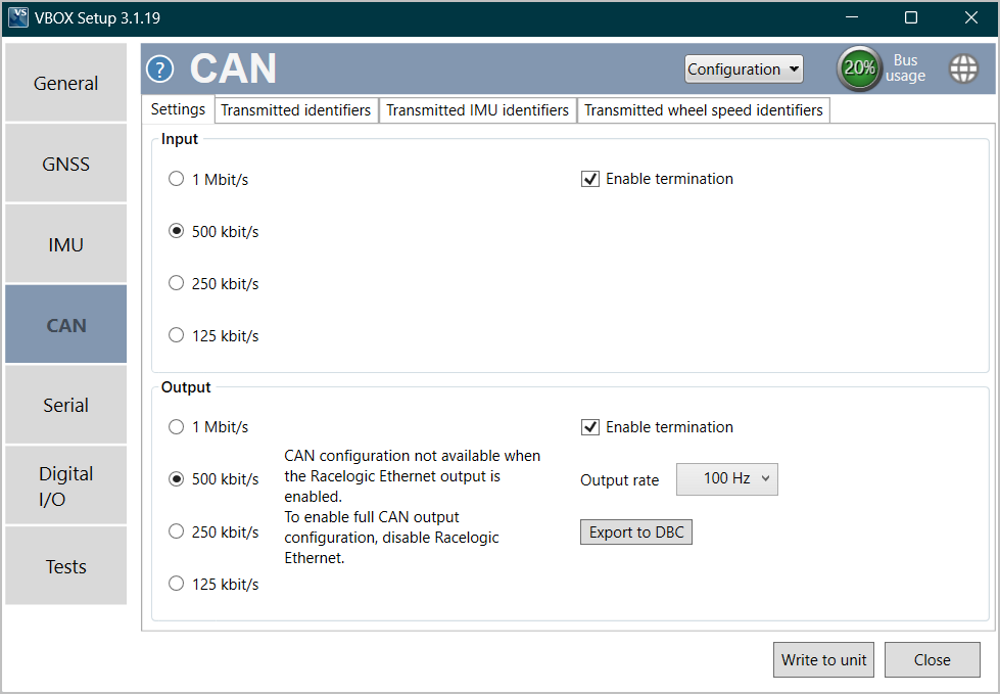
| Input- The software has four baud rate input values:1000kbit/s,500kbit/s,250kbit/sor125kbit/s.This is used to input wheel speed signals. When you are using this, you must make sure that the settings must match the vehicle's CAN bus. |
| Input termination- Select toEnableorDisableCAN input termination. |
| Output- The software has four baud rate output values:1000kbit/s,500kbit/s,250kbit/sor125kbit/s. |
| Output termination- Select toEnableorDisableCAN output termination. |
| Output rate- Select to choose the CAN output rate, available1 Hz,5 Hz,10 Hz,20 Hz,50 Hzor100 Hz. |
| Export to DBC- Create a .dbc file of the currently configured VBOX channels. |
Select which CAN output identifiers you would like transmitted.
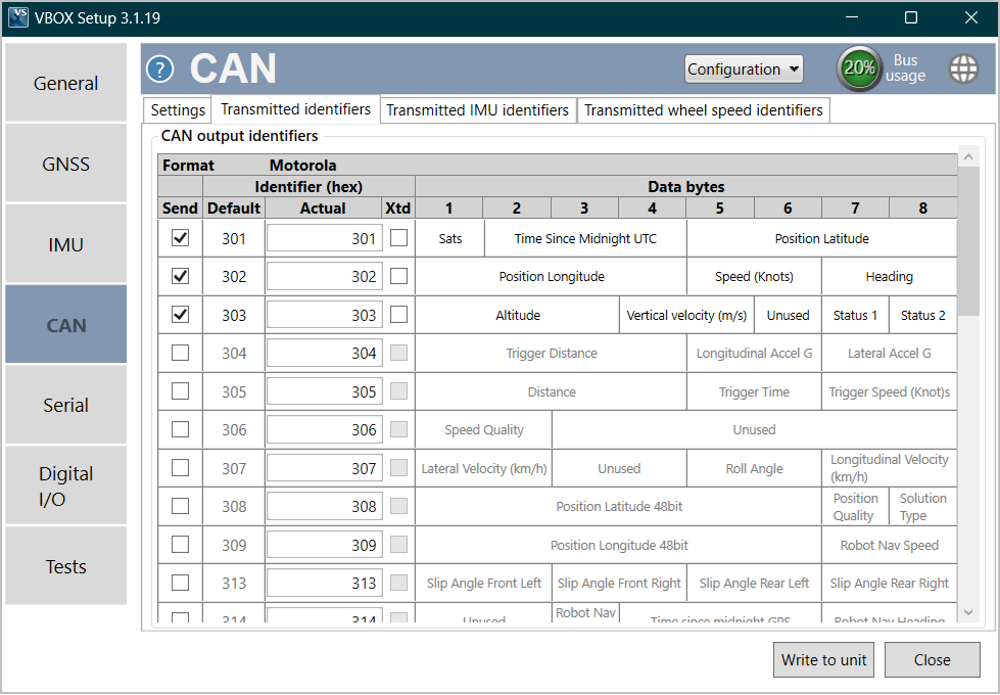
| Send | To switch a CAN message on/off, tick or untick the box for the corresponding message. |
| Default / Actual ID | This allows the modification of the CAN IDs transmitted by VBOX 3iS. Default values are the Racelogic standard IDs of 0x301, 0x302 …. 0x307. |
| Xtd | To change the identifier format from standard 11-bit to extended 29-bit, tick the 'Xtd' box in the corresponding column. |
| Data bytes | Shows which channels will be sent out in each message. |
Note: This tab is only presented when the IMU Integration is Enabled.
Select which IMU CAN output identifiers you would like transmitted.
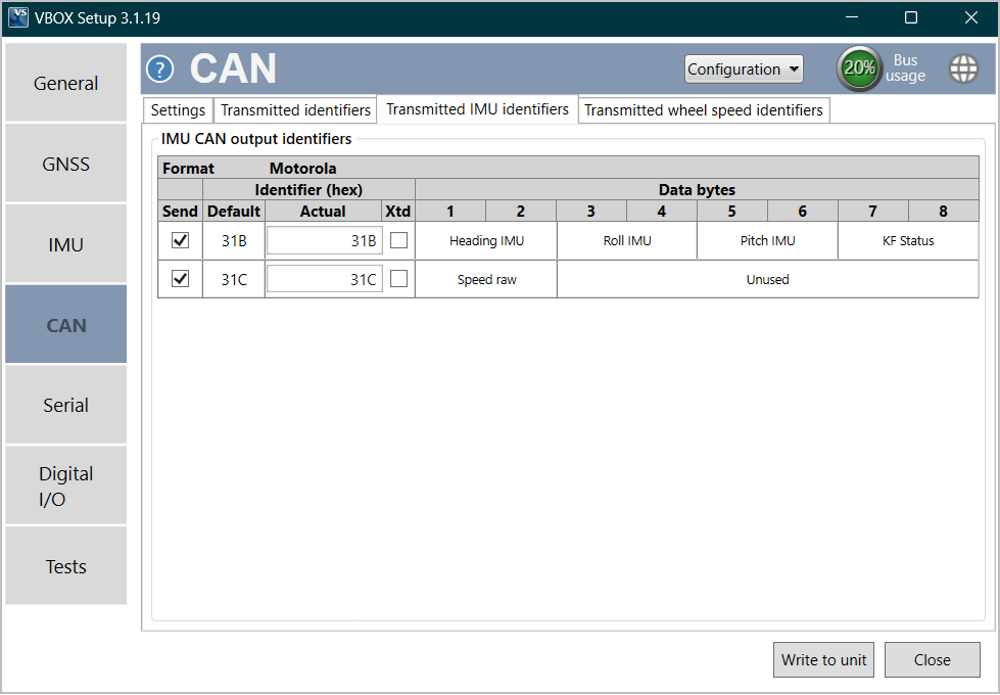
| Send | To switch a CAN message on/off, tick or untick the box for the corresponding message. |
| Default / Actual ID | This allows the modification of the CAN IDs transmitted by VBOX 3iS. Default values are the Racelogic standard IDs 0x31B and 0x31C. |
| Xtd | To change the identifier format from standard 11-bit to extended 29-bit, tick theXtdbox in the corresponding column. |
| Data bytes | Shows which channels will be sent out in each message. |
Note: This tab is only presented when the Wheel Speed Input is Enabled.
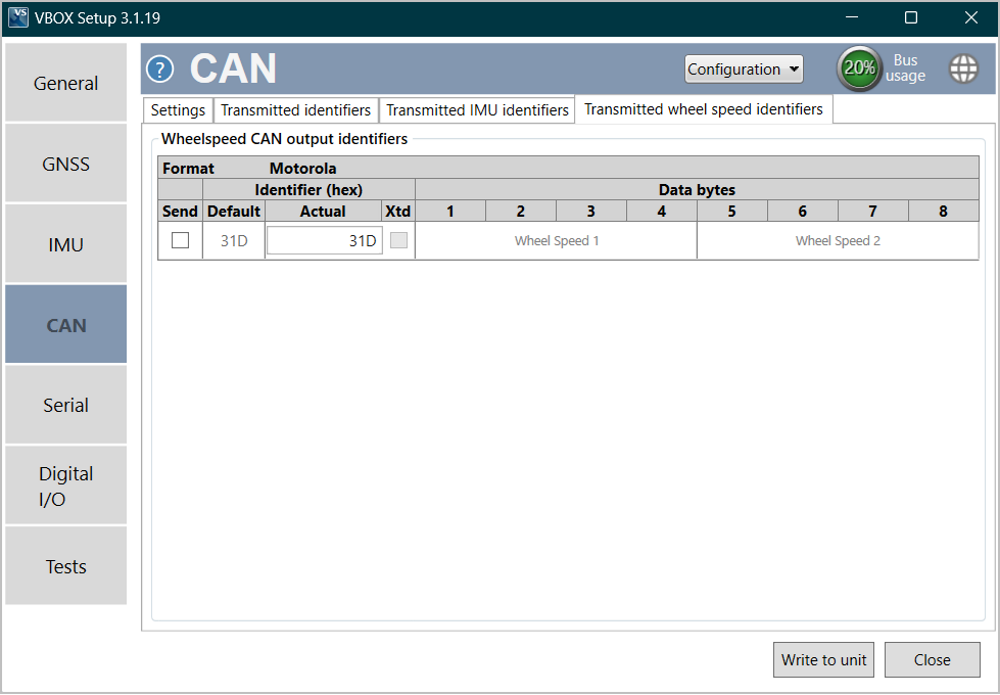
| Send | To switch a CAN message on/off, tick or untick the box for the corresponding message. |
| Default / Actual ID | This allows the modification of the CAN IDs transmitted by VBOX 3iS. Default values are the Racelogic standard IDs of 0x31D. |
| Xtd | To change the identifier format from standard 11-bit to extended 29-bit, tick theXtdbox in the corresponding column. |
| Data bytes | Shows which channels will be sent out in each message. |