
Looking for the latest release notes?
This version of the VBOX Test Suite Software includes updates and bug fixes.
Changes are often made due to customer feedback requesting new features or to fix bugs and other issues found during testing.
We strongly recommend users always update to the latest software release to take advantage of new features and to benefit from improved stability.
For installation guidance, refer to the VBOX Test Suite User Guide.
If Automatically check for updates is enabled, the software will detect available updates when connected to the internet and prompt you to download them.
Microsoft Windows 7 SP1 or newer (must be compatible with .Net Framework 4.7.1)
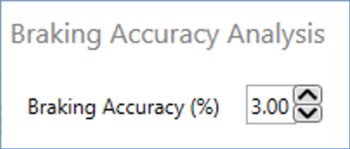
New Braking Accuracy pass condition available within Brake Speed and Brake Trigger tests.
- Ability to connect Online to a unit without refreshing channel names. This feature was previously known as 'Telemetry Mode' in VBOX Tools.
- When connected to VB3iS in Online Mode, the Kalman Filter status is now available to view on the serial stream.
- Lat and Long_raw units updated for VB3iS.
- Improved the performance of adding gates in populated areas.
- Improved the performance of the 2nd channel for the live chart gauge.
- Improved how the connection resumes after a hardware power cycle or after exiting VBOX Setup and returning to VBOX Test Suite.
- Resolved issue where log rate calculation was sometimes incorrect on short files, resulting in software performance problems.
- Map now has improved handling of data when coasting (without SATS).
- Resolved issue with AD channel names sometimes not displaying as configured within VBOX Setup.
- Resolved issue within the TKPH plugin to avoid incorrectly going into run comparison mode.