
If you are connecting an HDMI VBOX Video HD2 unit (RLVBVDHD2-H) to an HDMI-compatible display, the display must be able to support an input timing of 1920 x 1080, 30 Hz to display the video stream.
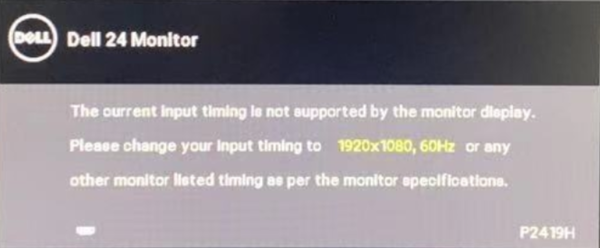
If you see a message on the display similar to the one shown above, you will either need to change the display timing settings to 1920 x 1080, 30 Hz if possible, or use another display that supports this setting. HDMI specification information is available here.