
The NTRIP Modem is a compact communication device designed to receive GNSS correction data from an NTRIP caster and forward RTCM correction messages to a connected GNSS receiver or VBOX system.
The modem supports multiple connectivity methods for accessing NTRIP correction services, including:
- Internal 4G/LTE cellular modem
- 2.4 GHz Wi-Fi client connectivity
- Integrated Wi-Fi access point for device configuration
Correction data received from the NTRIP caster is transmitted to the connected GNSS receiver via the serial interface.
The modem includes an integrated front panel display that provides real-time status information for monitoring network connectivity, GNSS receiver status, and RTCM correction data reception.
Each modem includes a unique serial number and firmware version, which are displayed on the device screen during startup.
This information may be required if you need to contact Racelogic support about your unit.
The front panel of the modem contains an OLED screen which displays status and connection information.
The front panel display provides operational status information and you to monitor system performance.
The display cycles through the available status screens, showing information such as:
- GNSS receiver fix status
- RTK correction age
- Network connection status
- NTRIP mountpoint information
- RTCM correction reception
- Baseline distance
- Device serial number and firmware version
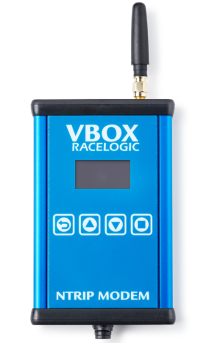
The front panel of the modem contains an OLED screen which displays status and connection information.
The front panel display provides operational status information and you to monitor system performance.
The display cycles through the available status screens, showing information such as:
- GNSS receiver fix status
- RTK correction age
- Network connection status
- NTRIP mountpoint information
- RTCM correction reception
- Baseline distance
- Device serial number and firmware version
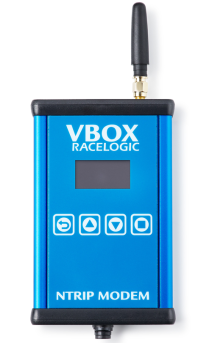
You can use the four buttons below the screen to navigate between the following information screens:
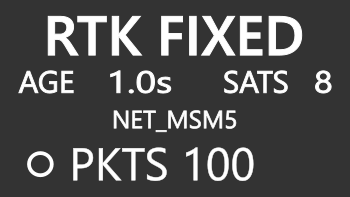
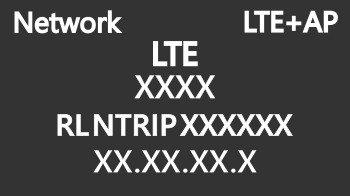
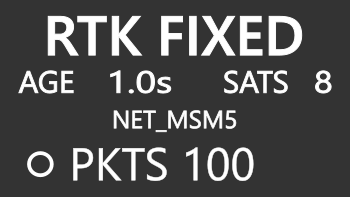
Provides an overview of the modem's operational state and GNSS correction status to quickly confirm that the modem is receiving and forwarding GNSS correction data.
The screen may include information such as:
- GNSS receiver fix status (e.g. RTK FIXED, RTK FLOAT, 2D/3D FIX)
- Correction age, indicating the time since the last RTCM correction was received
- NTRIP mountpoint currently in use
- RTCM message reception status
- Device serial number and firmware version
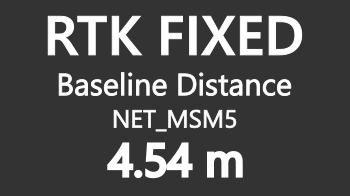
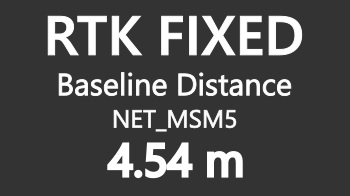
Displays the calculated distance between the rover GNSS receiver and the connected NTRIP base station to verify the distance to the base station providing the correction data.
The screen may include information such as:
- Baseline distance to the base station
- Distance units (metres or kilometres)
- GNSS fix status (RTK FIXED, RTK FLOAT, 2D/3D FIX)
- Active NTRIP mountpoint
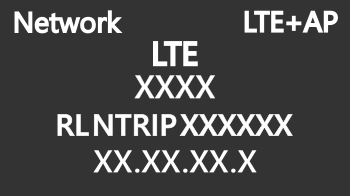
Displays the status of the modem's Internet connection to confirm that the modem is connected to the internet and able to access the configured NTRIP caster.
The screen may include information such as:
- Current network connection type(LTE or Wi-Fi)
- Mobile network operator (when using cellular connectivity)
- Network signal strength or connection status
- Assigned IP address
| Button | Behaviour |
|---|---|

|
Press the Return button to go back to the main screen. |

|
Press the Up and Down buttons to navigate between display screens. |

|
Press the Square button to turn off the screen. When the screen is off, press any button to turn it on again. |
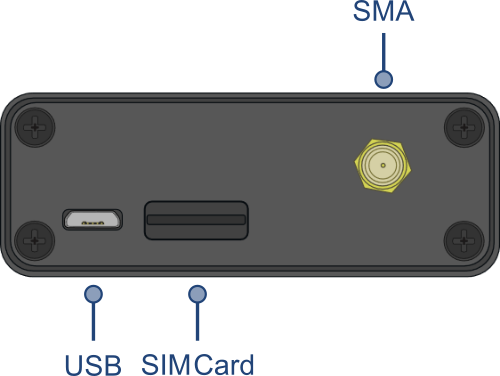
The SMA connector on the top of the unit is for the cellular antenna used by the internal LTE modem.
The antenna must be installed when you want to operate the modem using cellular connectivity.
The top of the unit houses a slot for inserting a Standard SIM card if you are intending on using the internal 4G modem to connect to the NTRIP server.
The USB interface can be used to connect the supplied USB A to USB B cable to a PC to update the firmware.
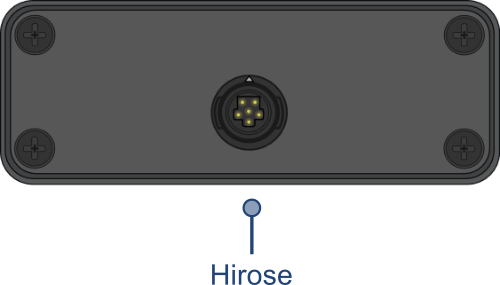
Primary interface used to connect the modem to a GNSS receiver or VBOX system.
This connection provides:
- Power to the modem
- Serial communication for RTCM correction output
The modem includes two wireless communication systems.
The internal LTE modem allows the device to connect directly to a mobile data network to access an NTRIP caster.
Operation requires:
- A compatible SIM card
- A connected cellular antenna
- An active mobile data plan
The Wi-Fi interface supports two modes of operation:
Client Mode
Allows the modem to connect to an external Wi-Fi network to obtain internet access.
Access Point Mode
Provides a local wireless network that allows users to connect to the modem and access the web configuration interface.