
The Android app lets you see a Live Preview of the Camera Alignment for the VBOX Video HD2.
Our free preview app with live output is a companion application to VBOX Video HD2. With this app, you have the opportunity to verify the camera positioning and alignment quickly and easily. By connecting over Wi-Fi you can view the scene that the cameras will record in real-time, and make changes accordingly.
The Android app lets you see a Live Preview of the Camera Alignment for the VBOX Video HD2.
Our free preview app with live output is a companion application to VBOX Video HD2. With this app, you have the opportunity to verify the camera positioning and alignment quickly and easily. By connecting over Wi-Fi you can view the scene that the cameras will record in real-time, and make changes accordingly.
You can set the exposure window on the camera preview so that you can avoid the 'letterbox' effect that can occur on very bright days. and get optimal video capture every time.
The Wi-Fi network that connects the VBOX Video HD2 to your mobile device is password protected - which is useful when you are surrounded by fellow users in the pit garage!
NOTE
Only VBOX Video GPS data logger owners will be able to use this app.
You can download the app from the Google Play Store.
You can find information about how to use the app here.
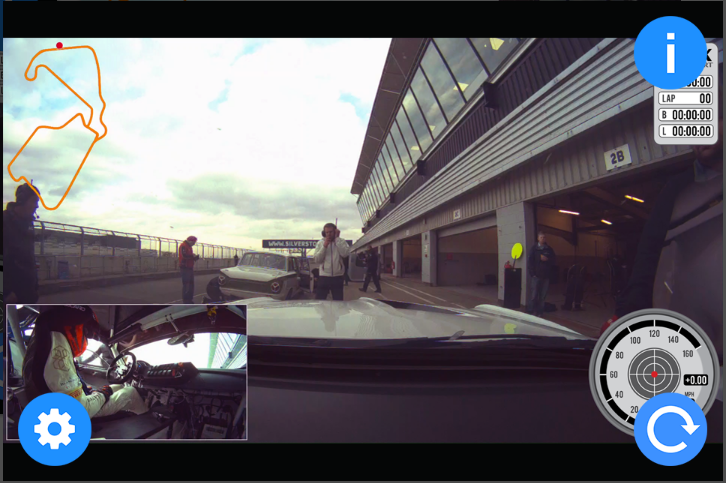
You can set the exposure window on the camera preview so that you can avoid the 'letterbox' effect that can occur on very bright days. and get optimal video capture every time.
The Wi-Fi network that connects the VBOX Video HD2 to your mobile device is password protected - which is useful when you are surrounded by fellow users in the pit garage!
NOTE
Only VBOX Video GPS data logger owners will be able to use this app.
You can download the app from the Google Play Store.
You can find information about how to use the app here.
February 2019
[NEW]
- Options added to allow configuration of HDMI output for VBOX Video units with an HDMI port.
April 2017
Use the latest VBOX Video HD2 firmware version: 1.3.56
NEW
- Ability to add and remove Bluetooth devices for VBOX Video
- Status icon for Bluetooth paired/active
- Record icon displayed during recording
- Audio streaming enabled
- Option to download scene to SD Card
FIX
- Various bugfixes