
Performance Box Touch needs a start/finish line to calculate lap times in Lap Timing Mode. By default, it will use the start/finish line that is detected from the Currently Selected Track based on the GPS location.
If there is no local track available, you can manually create start/finish line(s) when configuring the unit on the track. Alternatively, you can create a start/finish line by using a VBOX file recorded on the same track and VBOX Test Suite.
- Install VBOX Test Suite on your computer.
- Start the software and click Home → Add.

- Select CustomTest in the popup window and click OK.
- Click OK again on the next popup window. You do not need to enter any test settings now.
- Click File → Load Data.
- Navigate to the required .vbo file, click Load and wait for the file to load.
- In the Map area in Test Suite, locate and click the desired gate location on the track.
- Click Add Gate on the ribbon (Map Tab) to create the gate at the selected location.
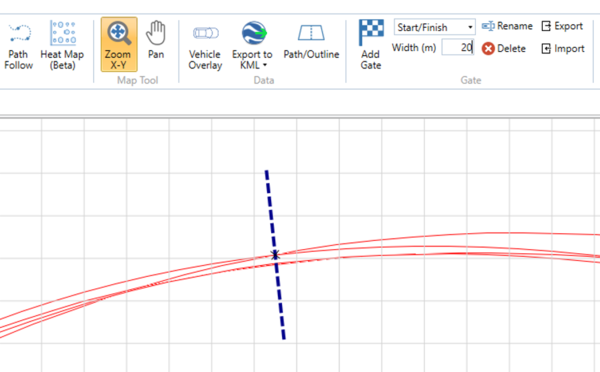
- Click Export to save the gate file to your computer.