
NOTE
The functionality described on this page applies to the default Performance App.
Behaviour may differ if a different app is installed.
Tap Settings → Serial Port (in any Display Mode).
VBOX Touch will display the Serial Port Settings screen.
Return to the selected Display Mode screen, by tapping on the Exit button in the bottom left corner.
The right half of the Serial Output Settings screen has an image that identifies the relevant port location on the VBOX Touch unit.
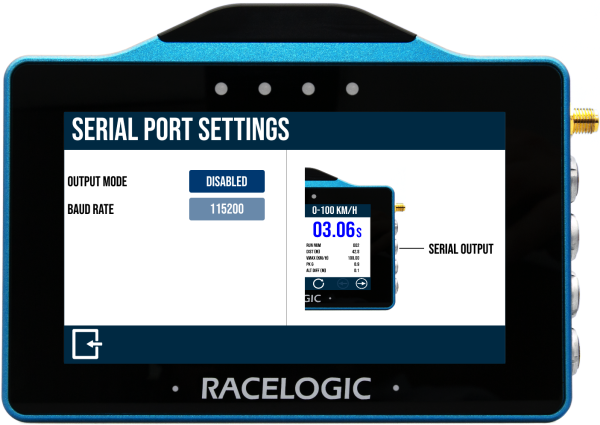
The VBOX Touch Serial Output is on the top CAN/Serial port.
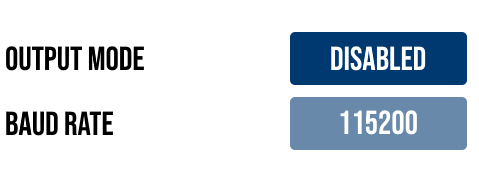
Output Mode
Choose the output mode of the serial port by tapping the button to cycle through the options:
- VBOX Stream
- Lap Timing
- Disabled (default)
VBOX Stream
When using VBOX Stream, you can connect VBOX Touch to a computer (using an RLCAB001) to do online (live) testing in VBOX Test Suite.
Refer to the Operational Information page to learn more about this.
Lap Timing
When using Lap Timing, VBOX Touch will output lap timing parameters on the CAN/Serial port.
Baud Rate
The serial port operates at a fixed baud rate of 115200 kbit/s. This value cannot be changed.
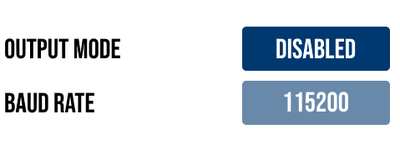
Output Mode
Choose the output mode of the serial port by tapping the button to cycle through the options:
- VBOX Stream
- Lap Timing
- Disabled (default)
VBOX Stream
When using VBOX Stream, you can connect VBOX Touch to a computer (using an RLCAB001) to do online (live) testing in VBOX Test Suite.
Refer to the Operational Information page to learn more about this.
Lap Timing
When using Lap Timing, VBOX Touch will output lap timing parameters on the CAN/Serial port.
Baud Rate
The serial port operates at a fixed baud rate of 115200 kbit/s. This value cannot be changed.
NOTES
- Only one output mode can be active at a time.
- The data output format and content are predefined and cannot be configured.