
This page contains an introduction and overview of the Racelogic Performance Box Touch product and what you need to know before you start using it.
It measures speed, lap and split times, delta-T, acceleration, deceleration, distance, and more.
All these parameters are logged to an SD card and can be viewed live on the screen and analysed in detail later using the VBOX Test Suite or Circuit Tools software products.
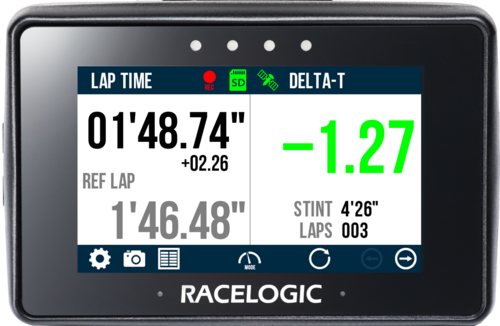
This page contains an introduction and overview of the Racelogic Performance Box Touch product and what you need to know before you start using it.
It measures speed, lap and split times, delta-T, acceleration, deceleration, distance, and more.
All these parameters are logged to an SD card and can be viewed live on the screen and analysed in detail later using the VBOX Test Suite or Circuit Tools software products.
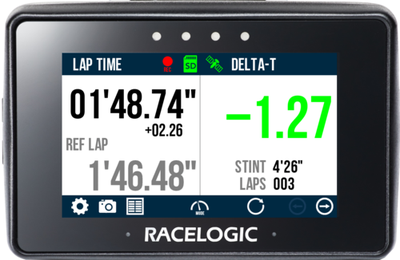
IMPORTANT
The functionality described in this user guide assumes the default Performance App is installed.
Register your Racelogic product so that we can provide you with notifications about the latest software and firmware releases, and offer technical support.
When you purchase a Performance Box Touch V2 (RLPBT-V2), you will find the following items when you open the box:
| Product Code | Quantity | Description |
|---|---|---|
| PBT-V2 | 1 | Performance Box Touch Unit |
| RLACS184 | 1 | Cigar Plug USB Adapter |
| USB2-007241 | 1 | USB 2.0 A to Right Angle Micro B data and Charging Cable, 1.5 m |
| RLACS313 | 1 | 8 GB SD Ultima Pro UHS-1 Memory Card |
| RLACS331 | 1 | Suction Cup Windscreen Mount |
NOTE
The supplied SD card contains the VBOX Test Suite and Circuit Tools 3 software applications that can be used to display and analyse the data logged by the unit.
When you purchase a Performance Box Touch V2 Bundle (RLPBT/B), you get the standard Performance Box Touch V2 kit with additional accessories.
You will find the following items when you open the box:
| Product Code | Quantity | Description |
|---|---|---|
| PBT-V2 | 1 | Performance Box Touch Unit |
| RLACS184 | 1 | Cigar Plug USB Adapter |
| USB2-007241 | 1 | USB 2.0 A to Right Angle Micro B data and Charging Cable, 1.5 m |
| RLACS313 | 1 | 8 GB SD Ultima Pro UHS-1 Memory Card |
| RLACS331 | 1 | Suction Cup Windscreen Mount |
| RLACS290 | 1 | Performance Box Touch Battery and Cable |
| RLACS284 | 1 | GPS/GLONASS Low Profile Antenna, 2 m |
| RLACS281 | 1 | Plastic Carry Case |
Performance Box Touch is supplied ready to use with the default Performance App installed. This app provides the core functionality of the unit, including logging, display modes, and test features described in this user guide.
It is possible to install different apps on the Performance Box Touch unit to support different testing requirements. If a different app is installed, the behaviour, including available features and CAN output, may change.
The functionality described in this user guide applies to the default Performance App. App-specific functionality for other Performance Box Touch Apps is documented in the Performance Box Touch Apps section.
To restore the default Performance App, reinstall the latest Performance Box Touch firmware.
The unit includes an internal antenna, which may be sufficient in open environments. However, for reliable and repeatable results, especially when used inside a vehicle, the external antenna is recommended.
Connect the GNSS antenna to the unit and place it with a clear view of the sky. Avoid placing the antenna under metal surfaces, as this can significantly reduce signal quality.
You can find more information about best practices in the GNSS Antenna Placement article.
IMPORTANT
During first use, it may take up to 10–15 minutes to fully acquire satellites. After this, it usually takes 1–2 minutes to acquire satellites.
Performance Box Touch records all data to an SD card inserted into the side of the unit. If the unit cannot detect an SD card, logging will not be available.
It comes supplied with an 8 GB SDHC card in a FAT32 file format, which is the only file format supported.
If you are looking to purchase a new SD card, we recommend that any card used has a write speed of more than 7 MB/s (4 MB/s is the absolute minimum) and a speed class of 10 (4 is the absolute minimum). Use SD cards from quality brands such as Transcend, SanDisk, Kingston or Lexar for the best results.
SDHC cards (2 GB to 32 GB)
Supplied or purchased SDHC cards are formatted in the FAT32 file format. This format is supported by Performance Box Touch.
SDXC cards (64 GB and above)
Purchased SDXC cards will be formatted in exFAT or NTFS file formats; these formats are not supported by Performance Box Touch (please reformat as per instructions below).
IMPORTANT
If an SD card is formatted in the exFAT or NTFS file formats, it will need to be reformatted into a FAT32 file system before it will work with Performance Box Touch.
FAT32 reformatting for media with sizes up to 32 GB can be done directly within Windows by right-clicking on the media and selecting 'Format'.
If you would like to format media with sizes above 32 GB into a FAT32 file system, this cannot be done directly in Windows, as it is not the standard formatting for the file. However, many third-party software programs can be used to reformat media to allow them to work correctly with our products. We can recommend This Tool as a free option from the SD card organisation.
Performance Box Touch is powered via the test vehicle (12 V vehicle power) using the supplied power cable (RLACS184).
NOTE
You can also power the unit with the optional battery (RLACS290).
Refer to the Performance Box Touch Battery page for more information about installing, using and charging the battery.
The unit will automatically turn on when connected to power.
While the unit is starting, it will display the following splash screen:
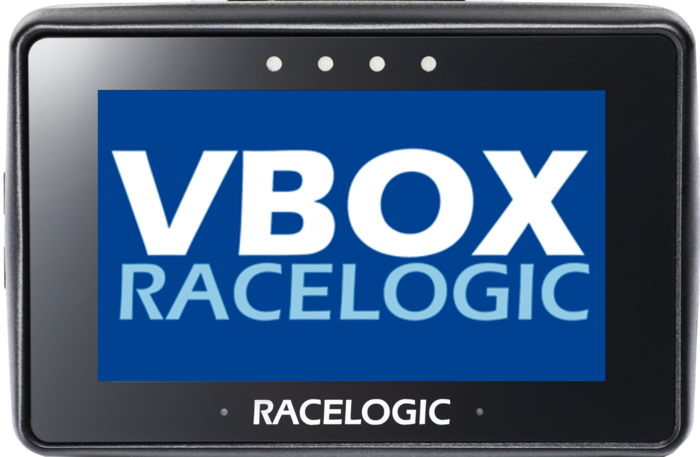
On start-up, the unit:
- Searches for satellites.
- Detects the SD card.
- Prepares for logging.
Mode Selection
The very first time the unit is started, it will present the Select Mode screen where you can select the required Display Mode. After this, it will automatically display the last used display mode on power-up.
The unit supports multiple display modes, each designed for a specific type of test, such as speed, acceleration, deceleration, or lap timing.
Refer to the Display Modes section under User Interface for more information.
Before using the unit, make sure that:
- A compatible SD card is inserted.
- The unit has a clear view of the sky or is connected to an external GNSS antenna that has been installed according to best practice.
- The unit is powered from a suitable vehicle supply.
IMPORTANT
- Always stop logging before removing the SD card.
- Wait for a stable satellite signal before starting a test.
- Poor antenna placement can affect accuracy.