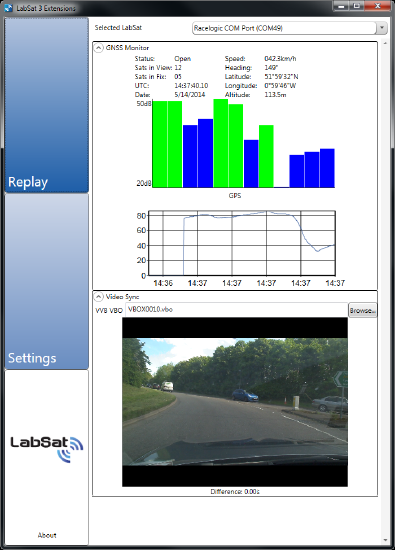
The Video Sync feature allows a recorded video of a live route to be replayed in synchronisation with a LabSat 3 or LabSat 3 Wideband scenario file.
To replay a scenario with a recorded Video VBOX session:
- Enable the Video Sync checkbox in the Plug-in section of the Settings page.
- The Video Sync dropdown section becomes available in the replay area of the software.
- Load the LabSat scenario file as normal.
- In the Video Sync section, click Browse and select the
.vbofile located in the same folder as the video recording. - Wait for the file to load, then click Play.
The scenario replay is synchronised with the Video VBOX recording during playback.
To display the video in full-screen mode, double-click inside the video window.
NOTE
Ensure that the GNSS Monitor is enabled and displaying live data from the LabSat scenario during playback.